Skip the nonsense — here’s the route.
Most early and mid-game bases are slower than they need to be for one simple reason: the stations are placed like furniture instead of like a workflow.
You walk in with a load of materials. You dump them in a chest on one side of the room. You walk across to the crafting station. You realize you need something from another container. You walk back. You craft. You walk to the repair station. You walk back to storage to put the finished items away. Every loop costs extra seconds that add up to real time over a session.
This is fixable with deliberate placement.
The core principle
Minimize the distance and the number of interactions between “materials in” and “usable items out.”
Every extra step and every extra click is friction. Design the layout so the most common cycle is also the shortest cycle.
The practical station triangle
For almost every survival-crafting game, the highest-frequency loop is:
Deposit raw or semi-processed materials
Craft or process at the main station
Repair / maintain tools or equip the result
Leave again
Treat these as a tight cluster, not as separate rooms.
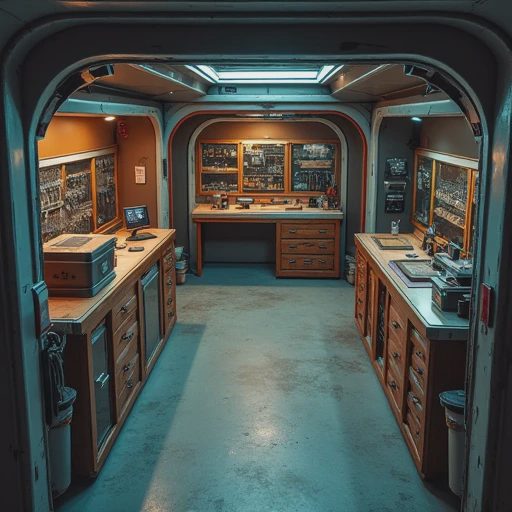
Recommended early layout:
Main storage directly adjacent to (or under / beside) the primary crafting station
Repair or maintenance station within one or two steps of the same crafting station
Input buffer (a single chest or pile) on the path you naturally walk when returning from gathering
Output / finished goods either in the same main storage or in a second container right next to the station if the game makes separation useful
You should be able to unload, craft, repair, and leave without crossing the full length of the base.
Placement rules that actually matter
Do not put the main crafting station in the center of a large empty room “for future expansion.” Put it where the materials already are, then expand around the workflow.
Keep the most-used station closest to the main entrance you actually use. If you always come home from the north, the crafting loop should be near the north entrance — not buried at the back of the base.
Separate high-frequency and low-frequency stations. Daily crafting and repair stay in the tight cluster. Specialized or rarely used stations (advanced processing, luxury crafting, bulk storage) can sit farther away without hurting the main loop.
Avoid forcing a turn or obstacle between storage and station. If you have to walk around a wall, a door, or a decorative piece every single time, remove the obstacle or move the station.
One primary unload point. Multiple random chests scattered around the base guarantee you will check the wrong one first. Designate a clear “drop materials here” container next to the main station and train yourself to use it.
A simple test
After you place or rearrange stations, do one full cycle with a normal load of materials:
Walk in from your usual direction
Deposit everything
Craft the item you most often make
Repair or equip if needed
Walk out
Count the steps and the number of container interactions. If it feels long, it is long. Shorten it before you add more stations.

Common mistakes that create slow bases
Building a dedicated “storage room” far from where you actually craft
Placing the repair station on the opposite side of the base from the workbench
Surrounding the crafting area with walls and doors that add extra interactions
Expanding the base outward in every direction so the original efficient cluster becomes the middle of a maze
Bottom line
Stations exist to turn materials into progress. Their placement should serve that conversion speed, not an imaginary floor plan.
Cluster storage, primary crafting, and repair into the shortest possible loop. Put that loop near the entrance you actually use. Keep specialized stations out of the way. Test the cycle with real materials and cut anything that adds unnecessary walking or clicking.
Do this early and every future hour spent at the base becomes faster. Do it late and you will eventually rebuild the whole layout anyway — after you’ve already paid the time tax.
Fast loops are not a luxury. They are one of the quiet multipliers that separate clean progression from constant low-grade friction.